AI Photo Editor - PhotoArt
Magic Photo Collage & Photo Editor - CollageArtPhotography
4.0983.00 Reviews
- Version
- 1.9.15
- Installs
- 1.00M
- Age Rating
- Everyone
Screenshots
Our Review of AI Photo Editor - PhotoArt
 Analysis by Appyee
On a shared phone or tablet, a photo editor can quickly become a household tool: one person wants a neat picture for a message, another wants to try a comic-style effect, and someone else is making a collage from the weekend. That kind of casual mix is where AI Photo Editor - PhotoArt makes sense to me. It brings several creative jobs into one place, so family members can take turns editing without needing to learn a professional suite first.
One editor, several kinds of household projects
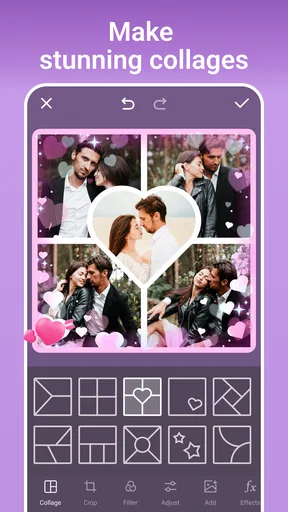
I would use it for the quick, personal edits that tend to pile up: brightening a dim indoor shot, turning a portrait into a more playful image, or arranging a few photos into a collage to share with relatives. The appeal is not that every result will look professionally art-directed. It is that a person can move from a straightforward touch-up to a more imaginative treatment without switching between several apps.
For example, after a family gathering, I might pick one clear portrait for a gentle retouch, then make a separate collage from candid moments. I would keep the original photos untouched in my camera roll and treat the edited versions as copies for sharing. That small habit matters in a shared-device setting: it makes it easier for the next person to know which image is the source and which one has been transformed.
Agree on the editing handoff
Photo editing is personal, especially when it involves faces. On a device used by more than one person, I would agree before editing someone else’s portrait or changing its appearance. A cartoon effect may be funny to one person and unwelcome to another, so a quick check avoids turning a playful tool into an awkward surprise.
I would also make a simple handoff routine: finish one edit, save or share it where intended, then return to the photo library before passing the device along. This is not a special PhotoArt feature; it is a practical way to keep separate projects from getting mixed together. If several people are using the same device, choosing a clear filename or a recognizable album for finished work can help too.
That routine is especially useful when children are involved. I would let them experiment with a copy of a photo rather than a family’s only version, and I would check the final image before it goes into a group chat or public post. The creative effect can be harmless fun, but the choice of photo and where it ends up still deserve an adult’s attention.
What I would check before making it a shared default
PhotoArt is a free photography app from Magic Photo Collage & Photo Editor - CollageArt. It is rated for Everyone, which makes its intended audience broad, but that label is not a substitute for household judgement. I would still supervise younger users, particularly when they are choosing personal photos or preparing images to share. The app’s age rating does not tell me how a family should handle privacy or posting; those boundaries are better set by the people using the device.
It is also worth distinguishing “free to start” from “every option is included at no cost.” The app has in-app purchases, with items ranging from $1.49 to $59.99, so I would look at any purchase screen before tapping through it on a shared device. If purchases are a concern, device-level purchase approval is a sensible household safeguard. I would not assume that a shared app automatically gives each person a separate workspace or separate purchase boundary.
Where it fits among photo apps
Compared with a basic photo editor built into a phone’s gallery, PhotoArt is more appealing when I want a creative result: a collage, a stylized portrait, or an AI-assisted change rather than just a crop and brightness adjustment. Compared with a dedicated professional editor, I would expect the trade-off to be convenience over detailed control. For a quick family project, that balance can be right; for precise retouching, careful layer work, or a tightly controlled visual style, I would reach for a tool built around those jobs instead.
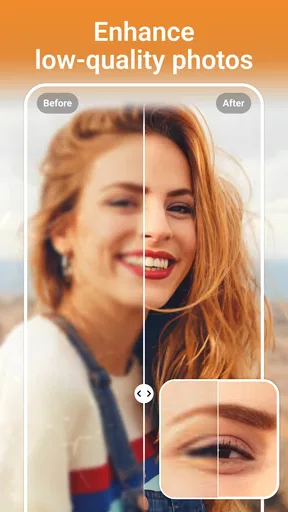
One useful way to keep results looking natural is to make the smallest edit that solves the problem. If an automatic enhancement makes a face look too polished, I would compare it with the original and back off rather than stacking more effects. For a collage, I would choose photos with similar lighting or a shared subject first; that usually gives the layout a clearer story than filling every available space. These are simple choices, but they help an all-in-one editor feel intentional rather than busy.
It is also a practical choice for someone who wants to try AI-style editing without building a complicated workflow. The trade-off is that creative effects can make images feel less authentic, and automated results may not suit every subject or occasion. I would use a playful treatment for a birthday message or a private family keepsake, but keep a more restrained edit for a formal portrait or an image where accurate appearance matters.
Ever feel like your photos need a little extra magic? Well, let me tell you about my latest find – it's called AI Photo Editor - PhotoArt, and it's seriously changing the game for photo editing on my phone. I’ve spent some time playing around with it, and let me just say, this app is worth every tap and swipe.
First Impressions: Simplicity Meets Power
When I first opened AI Photo Editor - PhotoArt, I was greeted with a clean, intuitive interface. It's refreshing not to be bombarded with a cluttered home screen full of tools I’ll never use. The design is sleek, making it easy to navigate even if you’re new to photo editing. The app feels like it was made with the everyday user in mind, which is exactly what I need when I’m editing on the go.
Transformative Features: More Than Just Filters
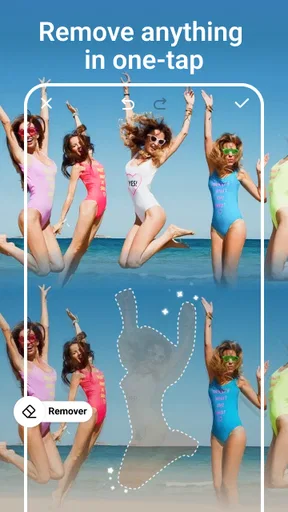
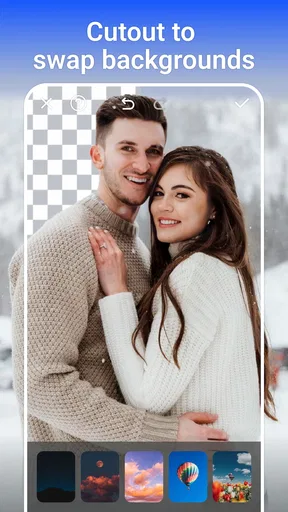
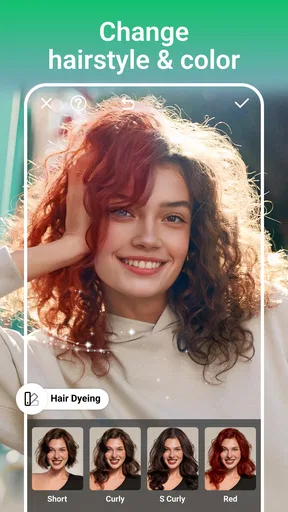
Now, let’s get into the nitty-gritty of what makes this app shine. Of course, it has the usual suspects like filters and basic editing tools, but where it really stands out is its AI-powered capabilities. One feature I absolutely love is the automatic background removal. With just a few taps, you can isolate your subject and drop in a new background, making it seem like you’ve got your own personal green screen.
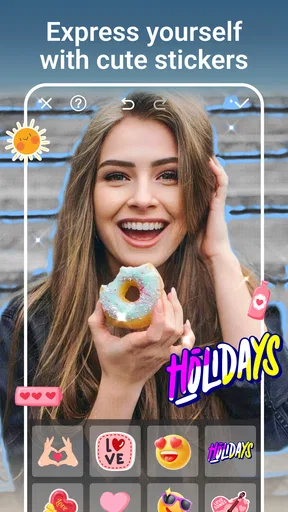
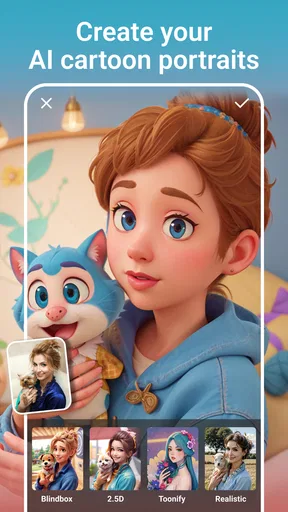
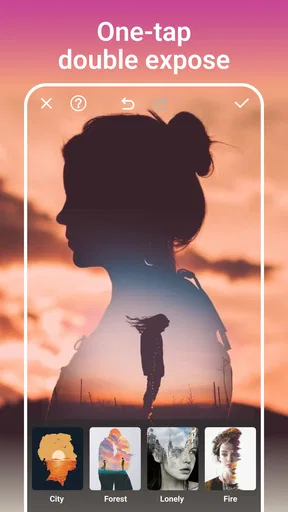
The app also includes a bunch of creative tools that let you transform your photos into digital art. Whether you want your pictures to look like a watercolor painting or something straight out of a comic book, this app does it effortlessly. The AI does a fantastic job of maintaining detail while applying these effects.
User Experience: Editing Made Easy
Using the app is a breeze. Everything you need is right at your fingertips without any unnecessary steps. I found the learning curve to be practically non-existent. The app offers helpful tips and guidance without being intrusive, which is perfect when you want to experiment without feeling like you’re being hand-held through the whole process.
What I particularly appreciate is the real-time preview feature. It’s a game-changer because you can see the effects being applied instantly, allowing for quick adjustments. This saves me so much time, especially when I’m trying to pick the right look for my latest Instagram post.
Performance: Smooth and Efficient
Performance-wise, I was pleasantly surprised. The app runs smoothly without any noticeable lag, even when processing more complex edits. This is crucial for me because there’s nothing more frustrating than waiting for an app to catch up with your creativity.
Battery usage is also pretty reasonable, which means I can edit away without worrying about my phone dying on me halfway through the day. It’s optimized well, ensuring it doesn’t drain your resources unnecessarily.
Sharing and Connectivity: Seamless Integration
Once I’ve got my masterpiece ready, sharing it is a seamless process. The app integrates well with social media platforms, allowing me to post directly from the app with just a few taps. It even lets me adjust the resolution and format of the image, which is a nice touch for those who want to maintain high quality in their posts.
For anyone wondering whether it replaces a phone’s built-in editor, I would say not quite. I still reach for the gallery’s own tools when I only need a crop, a quick rotation, or a minor light adjustment. PhotoArt earns its place when I want to do something more expressive, such as isolating a subject or making a collage. Keeping those roles separate prevents a simple edit from becoming a longer project than it needs to be.
Another useful habit is to preview an edit at the size where it will actually be seen. A detail that looks convincing while zoomed in may feel exaggerated when the image is viewed as a small social post. I would check the full composition before sharing, especially after removing a background or applying a strong art treatment. This quick final look is a better safeguard than assuming an automatic effect will suit every photo.
Who will enjoy it, and who may want another tool
I think PhotoArt is best for casual photographers, social media users, and families who want approachable creative options without learning a complex editing workflow. Its combination of everyday adjustments and more playful transformations gives curious users room to experiment. The app has a 4.3 average from around 5,500 ratings, and it has passed one million installs, so it has clearly found an audience among people looking for this kind of mobile editing experience.
I would be less likely to recommend it as someone’s only editor if they need exact color correction, fine control over layers, or a repeatable look across a large batch of images. Those jobs call for more specialized tools. I would also skip the AI effects when the image needs to stay documentary or true to life; automation is convenient, but it can make a portrait feel overworked if the effect is stronger than the subject needs.
If you are deciding whether to try it, the practical question is what you edit most often. For an occasional collage, a quick portrait refresh, or a stylized image for a chat, the free starting point makes experimentation easy. If you plan to rely on paid options, check their cost before building a routine around them. The current version is 1.8.30, and the app requires Android 7.1 or later, which is worth checking against an older device before installing.
Final Thoughts: A Must-Have for Photo Enthusiasts
In conclusion, AI Photo Editor - PhotoArt is a fantastic tool for anyone looking to enhance their photos with ease. Its blend of powerful AI technology and user-friendly design makes it a standout choice on the app market. Whether you’re a casual user or a social media influencer, this app provides all the tools you need to take your photo game to the next level.
So, if you’re on the hunt for an app that offers both simplicity and sophistication in photo editing, give it a try. It might just become your new go-to app for all things photography.
Verdict
Strengths of AI Photo Editor - PhotoArt
- Easy-to-use interface for beginners
- Wide range of filters and effects
- Supports high-resolution exports
- Real-time editing previews
- Integrates with social media easily
Limitations of AI Photo Editor - PhotoArt
- Some features require a subscription
- Occasional in-app ads can be intrusive
- Limited free version capabilities
- May slow down older devices
- No offline editing options
Other Releases by Magic Photo Collage & Photo Editor - CollageArt
View All
Photo Collage - Pic Grid Maker
Photography3.9
Similar Picks in This Category
View All
Google Photos
Google LLC4.4

Gallery
Google LLC4.2

Picsart AI Photo Editor, Video
PicsArt, Inc.3.9

B612 AI Photo&Video Editor
SNOW Corporation4.1

BeautyPlus-Selfie Photo Editor
PIXOCIAL TECHNOLOGY (SINGAPORE) PTE. LTD.4.5

Remini - AI Photo Enhancer
Bending Spoons4.1
Frequently Asked Questions
What features does AI Photo Editor - PhotoArt offer?
AI Photo Editor - PhotoArt offers a variety of features including AI-powered enhancements, filters, and effects. Users can enjoy tools for retouching portraits, adjusting lighting, and transforming images with artistic styles. The app also provides options for background removal and photo collage creation, making it a versatile tool for both casual and professional use.
Is AI Photo Editor - PhotoArt user-friendly for beginners?
Yes, AI Photo Editor - PhotoArt is designed with a user-friendly interface that makes it accessible to beginners. The app includes tutorials and tips to guide new users through the editing process. Its intuitive design ensures that even those with minimal editing experience can navigate the tools and features with ease.
Does AI Photo Editor - PhotoArt support high-resolution editing?
AI Photo Editor - PhotoArt supports high-resolution editing, allowing users to work with large image files without compromising quality. This feature is particularly beneficial for photographers and designers who require detailed and high-quality outputs. The app ensures that edited images retain their clarity and detail even after multiple enhancements.
Are there in-app purchases in AI Photo Editor - PhotoArt?
AI Photo Editor - PhotoArt offers both free and premium features. While the basic tools and effects are free, users can access additional features, filters, and advanced editing options through in-app purchases. Subscribing to the premium version provides a more comprehensive editing experience without ads and with exclusive content.
Can AI Photo Editor - PhotoArt share directly to social media?
Yes, AI Photo Editor - PhotoArt includes seamless sharing options for social media platforms. Users can directly upload their edited photos to popular sites like Instagram, Facebook, and Twitter. The app also allows for easy saving to device galleries, ensuring that sharing and storing images is a hassle-free process.
